Why is there no expert account option on INS? How to confirm the account type?
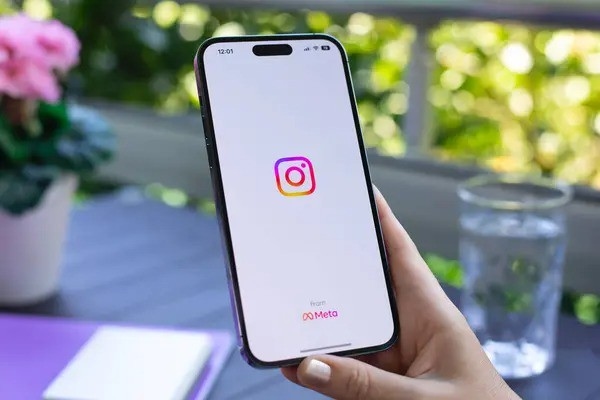
There is no expert account option on INS, which does not mean that the account is unqualified.
When searching for "Why is there no INS expert account?", you are usually looking for the Instagram creator account entrance. "Darenhao" is a common Chinese name. The interface may display "Creator" or "Professional Account", but the word "Darenhao" may not appear.
If the entrance cannot be found, check the account type, menu location and application version first. Do not directly judge that there are not enough fans. There is usually no uniform minimum fan requirement for switching creator accounts, but there may be qualification restrictions for specific functions such as monetization.
The entrance to the Master Account has disappeared. Please check the name and account status first.
When judging "why there is no INS expert account", you need to distinguish between "cannot switch account types" and "lack of a certain creator function". The two are not the same problem.
- Already a professional account: The original upgrade entrance may become a professional tool or type switching entrance.
- Menu name changes: The location of the options may be different under different versions, languages, and account statuses.
- Functional qualifications vary: Brand cooperation, monetization and other tools may be affected by region, age and policy qualifications.
Don’t just judge an abnormality based on another user’s screenshot, first confirm whether your account currently belongs to personal, commercial or creator type.
How to find Instagram creator account settings
To deal with "Why is there no INS expert account?", it is recommended to check from the official mobile app instead of just looking for the entrance on the web page.
- Update the app and enter the menu in the upper right corner of your personal homepage.
- Look for "Account types and tools" or a similarly named Pro account option in settings.
- For personal accounts, you can search for "switch to professional account"; for commercial accounts, you can search for the type switching entrance.
- If you still can't find it, check your account status, help center, and report problems through the app.
The specific name is subject to the current interface. Do not switch repeatedly in a short period of time; when preparing to switch, you should also pay attention to the prompts on public display, contact information, and related business tools to avoid affecting the existing operational settings.
Creator account or business account, which one should I choose?
If you focus on personal content and blogger cooperation, you can consider creator accounts; if you focus on store operations and team management, you can prioritize commercial accounts, but you should judge based on the tools you actually need.
Both are professional accounts, and creator accounts do not naturally receive more recommendations. Before switching, you should check whether advertising, music usage, third-party tools and related assets are affected.
If you just want to view data or manage business, there is no need to re-register just because there is no "Expert Account", and there is no need to purchase an account first.
Without the creator function, can buying fans solve the problem?
If "Why is there no INS Master Account" refers to the missing menu, purchasing fans, likes or views cannot repair the entrance, nor can it replace identity, region or policy qualification review.
Three requirements must be distinguished: switching existing account types is a setup issue; adding interactive data is a growth service; and purchasing an entire ready-made account is an account purchase. Buying fans cannot be regarded as buying an expert account, nor can third-party interaction data be regarded as a guarantee of unlocking qualifications.
Third-party growth services may also involve risks of volume loss, platform cleanup, or penalties, and should not be purchased to solve setup problems.
When considering purchasing a ready-made account, what conditions need to be checked?
Only when you really need ready-made account resources can you enter the account procurement process. First determine the purpose, audience area, account type and budget, and then consult whether the resources meet the requirements.
Focus on checking account history, audience authenticity, violation records, binding status, access permissions, and retrieval risks after handover. The quotation should be confirmed based on the actual attributes, and the value cannot be judged based on the number of fans alone.
Instagram’s terms restrict the sale and transfer of accounts, and there is a risk that purchases may be restricted or deactivated. Do not provide the password or verification code of your existing account to strangers, and handover and after-sales conditions should be confirmed in advance.
For Fansoso account consultation, you should first clarify the purpose and handover requirements.
For problems such as "Why is there no INS expert account?", the Fansoso account service should not be used as a method to repair the entrance; complete the setup troubleshooting first, and then determine whether you really need to purchase another account.
If the demand has been transferred to the purchase of ready-made Instagram accounts, you can contact the account manager through the account service channel below, explain the purpose of the account, target region, desired attributes and budget, and inquire about the resources and quotations currently available.
Before payment, you should confirm the account type, history, binding information, handover scope and after-sales boundary. Prices, resources and delivery conditions are subject to information confirmed by the account manager. Purchasing an account should not be understood as guaranteeing access to creator functions, natural traffic or sales conversions.
A. Social media popularity boosts self-service ordering
B. For social media account services, contact your account manager to purchase
Related Articles
空包展示类IG账号如何建立信任
搜索发空包 IG 账号怎么打造,先分清包装展示与虚假发货的边界。本文拆解账号定位、主页资料、内容证据与询盘流程,并说明如何比较 Fansoso 相关展示数据服务,核对报价、目标链接和售后条件,避免把数据增长误当真实成交。
发货争议后的IG账号如何增加关注
搜索假发货 IG 账号怎么增加关注,先分清履约纠纷与账号增长需求。本文梳理退款补发、主页优化和内容获客,并说明 Fansoso 相关服务的适用边界、报价比较与下单核对要点,帮助你做出透明、审慎的运营决策。
虚假发货账号整改后如何增加粉丝
搜索虚假发货账号怎么增加粉丝数量,先分清履约整改与社媒增长的先后关系。本文说明投诉处理、内容恢复、服务选择及下单核对要点,帮助正常经营的运营者比较Fansoso相关项目,避免用数据掩盖交易问题。
假发人设号怎样积累有效运营数据
搜索假发货人设号怎么做账号数据,先分清真实卖货运营与虚假发货问题。本文拆解假发类人设号的内容指标、询盘统计和服务选择,帮助你判断何时需要运营优化,何时适合到Fansoso核对展示数据服务与报价。