What is YouTube VIP channel boosting? First distinguish between video promotion, channel membership and paid promotion

Let’s talk about the conclusion first: What exactly does “YouTubevip channel boosting” mean?
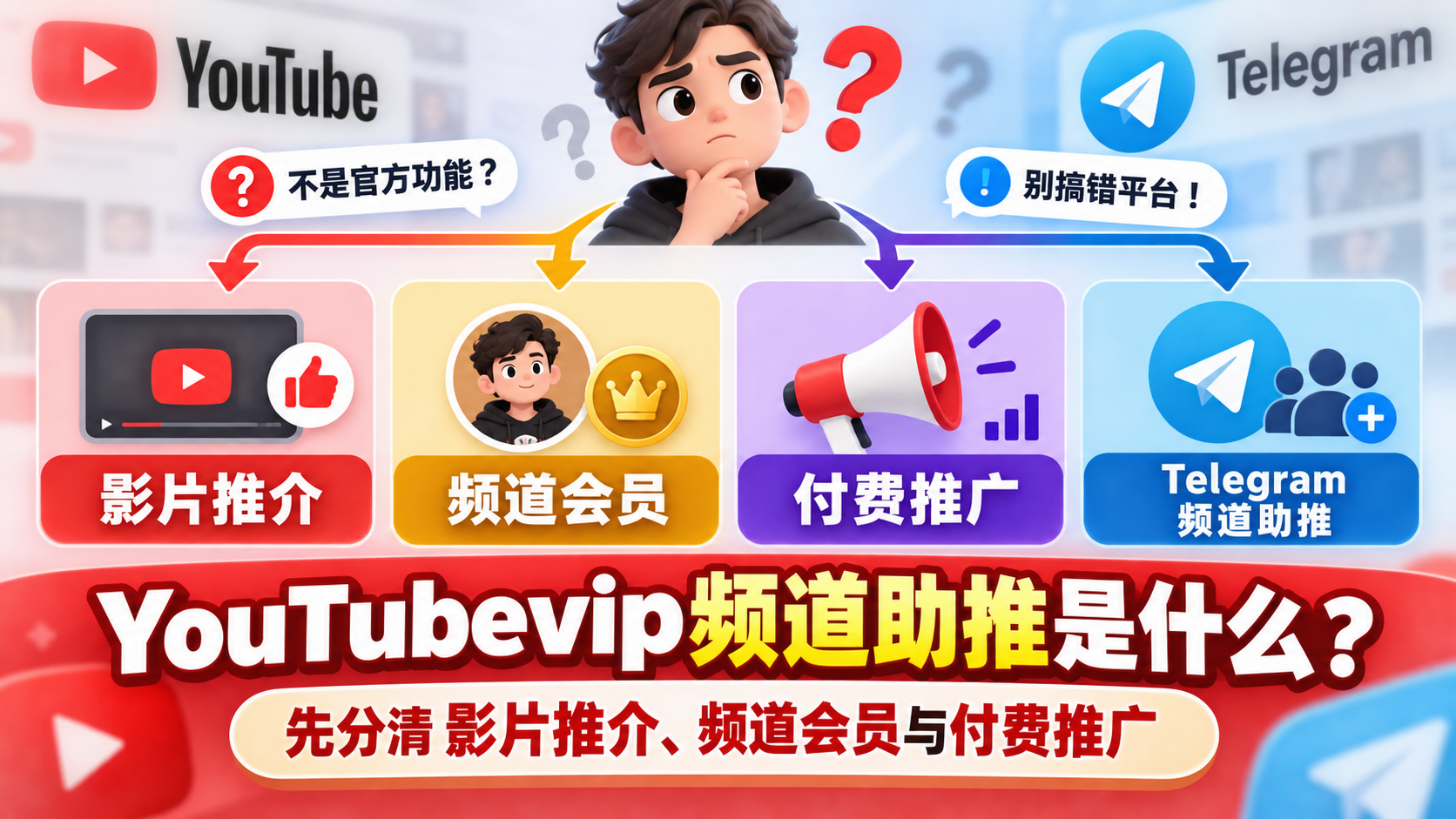
**"YouTubevip Channel Boost" is not the name of a single official YouTube feature that can be confirmed in this article. **Don’t assume that there is a purchase entrance called “VIP channel boost” on YouTube just based on this search term. It's more like mixing together different needs such as "support videos", "support channels" and "promote channels".
One sentence to identify: Are you trying to promote videos, channels, or Telegram channels?
First look at what you want to achieve:
- Support a specific YouTube video: Looking for video-specific promotion features, not "upgrading" the entire channel.
- Support a creator regularly: What you're probably looking for is channel membership; it's not the same thing as increasing video exposure.
- Get your YouTube channel seen by more people: What you are considering is content operation or paid promotion, rather than a general "VIP boost" button.
- Boost your Telegram channel: This is a function of another platform and cannot be copied to YouTube.
Why do search results show both YouTube and Telegram?
“Channel” and “boost” are both words that may appear in tutorials related to both platforms. Search them together with "VIP" and the results may be mixed with instructions for different platforms and different uses.Before taking action, first confirm the target platform, and then confirm whether you want to support a single video or the entire channel; Otherwise, even if the button names in the tutorial look similar, you may find the wrong entrance.
Four Confusing Features: Eligibility, Usage, and Fee Comparison
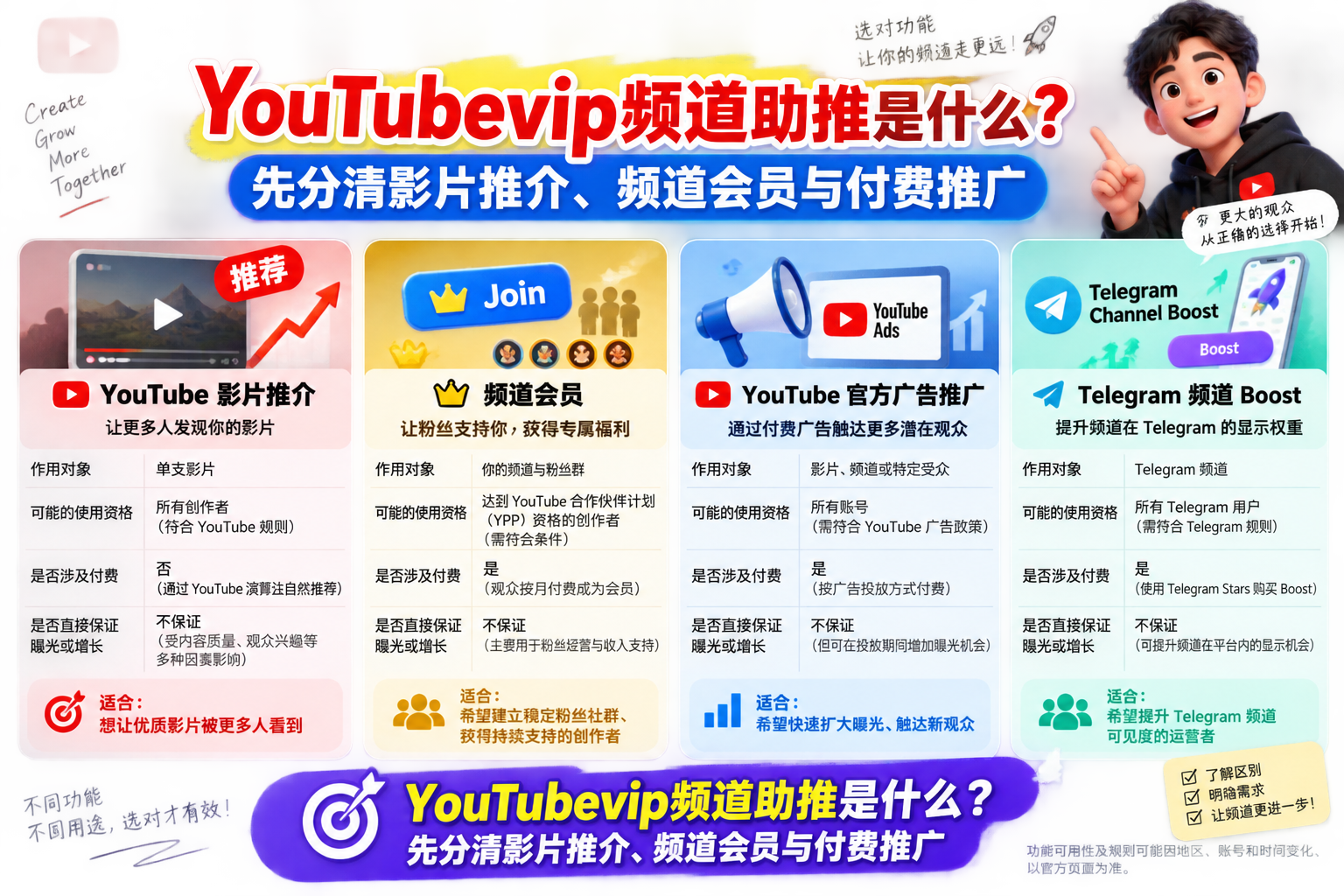
To determine what “boost” refers to, first look atObject of action: Should I support a video, pay to support a creator, purchase ad impressions, or unlock features for a channel on another platform? Their eligibility, fees and effects are not the same.
| Function | Where it works and its main purpose | who may use | Pay or not | Does it directly guarantee exposure or growth? |
|---|---|---|---|---|
| YouTube video recommendations | againstEligible single video, to express support and help the video gain more chances to be discovered; it is not to speed up the entire channel | Qualified audiences and videos in areas where the function is open; creators must also meet the corresponding conditions | Whether basic use is free or whether there are paid options depends on local rules and function versions. | No guaranteeThe video gets a fixed amount of exposure, and there is no guarantee that the channel will gain fans. |
| YouTube channel membership | againstCreator's channel, allowing viewers to continue to support creators through membership rights | The channel needs to activate the membership function; viewers must meet the purchase conditions of their region and account | Usually paid on a recurring basis | No guaranteeVideos receive additional recommendations or channel growth; membership benefits and exposure are not the same thing |
| YouTube official advertising promotion | againstVideos, channel content, or landing pages in your campaign, strive for display and reach according to delivery settings | It is necessary to have an available advertising account, and the content, delivery area, etc. must comply with the policy | Advertising budget required | You can strive for advertising display according to the delivery conditions, butNo guaranteeOrganic recommendations, real interactions or subscription growth |
| Telegram Channel Boost | againstTelegram channel, mainly used to improve channel level and unlock corresponding channel functions; does not apply to YouTube | Typically related to eligible paying users and channel rules | Usually involves paid subscription qualifications, but the specific rules for allocating Boost will depend on the platform | No guaranteeChannel exposure or member growth cannot improve YouTube video performance |
A simple way to distinguish is: **Recommended videos, members look at the support relationship, advertising looks at the delivery budget, and Boost looks at the Telegram channel function. **For example, if viewers want to support a certain video, it does not mean buying channel membership; if creators want more people to see the content, they cannot use channel membership as advertising.
The open areas, account qualifications, charging methods and specific rules of these functions may change over time. Before actual operation, you should refer to the official help page of the corresponding platform and the information displayed in the account.
Want to support YouTube videos: How to find and use Recommendations
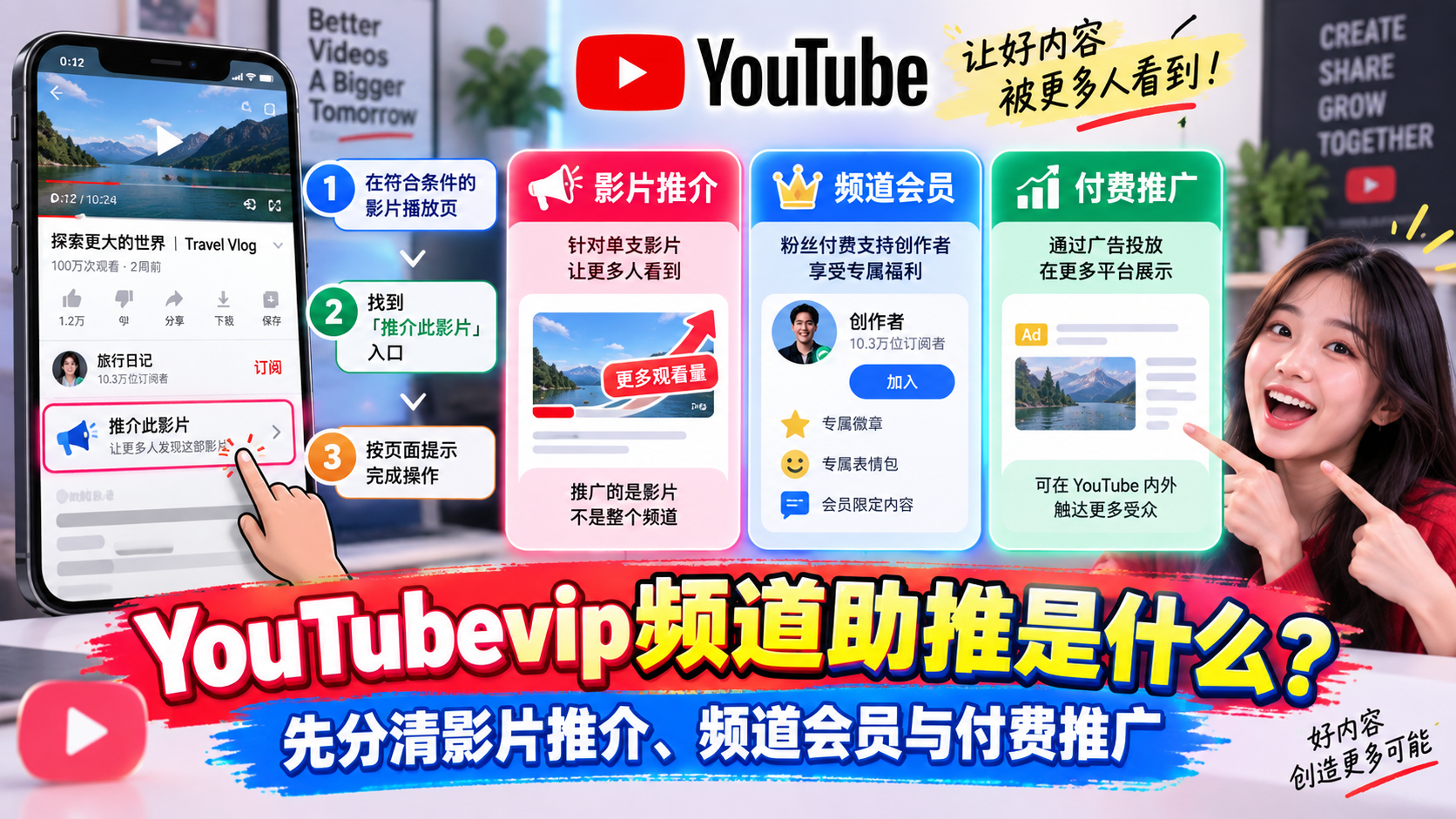
If what you want to say is "recommend a favorite video", you should start withVideo play pageLook for the entrance, not the so-called "boost levels" on the channel home page. The object of promotion is a single video, which does not mean purchasing rights for the entire channel.
Check the video and account qualifications before operating
Log in to your account first, then open the video you want to support. The referral feature may be useful forVideo type and release time, creator qualifications, region and account statusThere are restrictions; specific conditions may also be adjusted according to platform rules. Therefore, the scope of application or the number of times mentioned in a tutorial should not be regarded as long-term general rules.
Find the promotion entrance on the video page
- Open the eligible video playback page and check the operation area below the video; if it is not directly displayed, you can check the "More" menu.
- After finding the "Recommendations" entry, click and read the page prompts.
- Follow the prompts to confirm the operation, and the completion status displayed on the page shall prevail.
The interface may differ between devices, app versions and regions. If there is no entrance to the play page, it does not mean there is a problem with the account. It may also be that the video or the current account does not meet the conditions.
What can you see after the recommendation and what can’t be guaranteed?
After completion, the page may display confirmation prompts, recommendation records, or points and ranking information related to the film; the actual display is subject to the current page. Promotion can be understood as expressing "I support this video" to the platform.Videos are not guaranteed to receive fixed exposure, views or rankings, nor will the creator's entire channel automatically receive membership levels or other paid benefits.
Can't find the recommend button? Check this list
There is no "Recommend" button on the play page, which does not necessarily mean that the account is restricted. It may be that the current region, device or client has not yet displayed the entrance, or it may be that the video or account does not meet the conditions for use. It is recommended to check in the following order, first confirm the entrance environment, and then check the qualifications.
First check the region, account and device
| Check order | What to check | How to decide the next step |
|---|---|---|
| 1. Region | Whether the current region supports this function | If the function has not yet been opened locally, wait for the official opening; do not use fictitious region information to bypass restrictions. |
| 2. Login status | Have you logged in to the account that you plan to use this function with? | If you are not logged in or logged in with another account, first switch to the correct account and then reopen the play page. |
| 3. Client version | Is the app a newer version available? | Reopen the video after updating; you can also check the official instructions to confirm whether the current device supports this entry. |
| 4. Video type and release time | Whether the type and release duration of the video are within the applicable scope | Different rules may apply to videos of different genres or release times. The latest official conditions shall prevail. |
| 5. Creator qualifications | Whether the creator of the video meets the functional requirements | Even if the viewer's settings are normal, it doesn't mean that every creator's video can display the button. |
| 6. Account restrictions | Are there any relevant restrictions on user accounts or creator accounts? | Check account notifications and function status; if there are qualification restrictions, follow official prompts. |
Distinguish between "cannot see the entrance" and "not eligible"
A practical way to tell is: if you can see the button after switching to another eligible video, the problem is more likely related toOriginal video or creator qualificationsRelated; if all videos cannot be seen, review them firstRegion, login account, client and device. But this is just a clue for troubleshooting, and the specific cause cannot be determined simply by whether the button appears.
Do not attempt to purchase accounts, fake your location, or use other illegal methods to "unlock" the entrance. These practices cannot change the qualifications of the video itself, and may also bring account risks.
If it still cannot be used, go to the official help center to verify
From the app or web versionHelp menu to enter the official help center, search for keywords such as "recommendation", "eligibility requirements" and "supported regions" to check the latest scope of application and restrictions. If the official instructions are inconsistent with the current page, then submit information such as device, client version, and video link through the feedback channel provided by the help center; do not provide passwords or verification codes.
Want to improve your entire channel: Which growth plan should you choose?
If your goal is to improveEntire YouTube channel, don’t rush to find the “VIP boost” package yet. A more useful approach is to break down the goals: Do you want new viewers to discover the channel, existing viewers to watch longer, or do you want people who appreciate the content to sign up for a paid membership? The three goals require different investments and measurement methods.
| Target | The first way to try | Main inputs and metrics | limitations |
|---|---|---|---|
| Get new viewers | Clarify channel positioning, optimize topic selection, titles, and thumbnails; test YouTube official advertising promotion if you have the budget | Invest production time or advertising budget; look at the number of new viewers, click-through rates, subscription sources | Ads can bring about reach, but it does not mean that viewers will continue to watch or subscribe. |
| Improve viewing performance | Optimize the beginning and content rhythm of the video, adjust the topic selection of the series based on audience feedback; maintain the audience through comments and community posts | Invest time in continuous creation and operation; look at audience retention, average viewing time, and return visitors | It is normal for the data of a single video to fluctuate. You cannot judge the success or failure of a strategy based on just one release. |
| Develop paid members | Establish stable content expectations first, then clearly explain member rights and interact with the community | Invest in benefit design and continuous performance time; look at member joining, renewal and cancellation status | Membership is suitable for audiences who are already willing to support and cannot replace the content itself. |
You can think of channel growth as running a store: content and packaging determine whether people passing by are willing to come in, viewing experience determines whether they will stay, and community relations affect whether they are willing to support long-term. If you use paid promotion, set an affordable test budget first, and judge the effect based on viewing quality and subsequent follow-up visits. Don’t just look at the exposure numbers.Any plan should not be understood as a guarantee of specific views, subscriptions or recommendation results.
For packages with unknown sources such as "volume boosting" and "VIP channel recommendation", it is especially necessary to verify where the traffic comes from, whether account permissions need to be handed over, and whether the delivery indicator is subscription numbers or actual views. False traffic and false subscriptions may distort data and may also bring platform policy risks. If you are only comparing third-party subscription services, such as Fansoso's self-service YouTube subscription service, you should also evaluate it separately from official promotion and the natural growth of real viewers: an increase in the number of subscriptions does not equal an increase in natural traffic, nor does it mean that it can pass the revenue audit.
If you are talking about Telegram channel Boost
You may also see Telegram’s Boost tutorial when you search for “channel boost”.Telegram Boost is a function of Telegram channels or groups and is not the same thing as YouTube video promotion: The former is related to the level and available rights of the Telegram community, and the latter applies to eligible YouTube videos. The accounts, boost records, and benefits of the two platforms are incompatible with each other, and you cannot use Telegram Boost to boost your YouTube channel.
How to confirm that you need Telegram boost
First, look at the object you want to operate: if you have a Telegram channel or group link and want to check the community level or unlock the corresponding function, you should check Telegram Boost; if you have a YouTube video link and want to support this video, you should check YouTube's "Recommendations."
In Telegram, you can first open the target channel or group, enter the profile page or management interface, and look for "Boost" and level information. The entrance may vary depending on the device, app version, and your identity; if you cannot find it, update the app first, and then check the community's management settings or Telegram help instructions.
What to check when reviewing rules
After entering the boost page, focus onCurrent level, requirements for next level, unlocked benefits, and whether your account has available boosting qualifications. Do not copy the numbers in the old tutorial: the specific number of boosts, validity period and level threshold may be adjusted, and should be subject to Telegram’s current application interface and official instructions.
How to use Fansoso to help your YouTube channel grow
If you want to improve your entire YouTube channel instead of using the "recommend" function on the video play page, you can first prepare the content positioning, title and cover, and update plan, and then evaluate whether you need third-party services.Fansoso's service is not the same as YouTube's official recommendation: It provides growth services related to YouTube, but is not a substitute for content that continues to attract viewers.
What YouTube growth services does Fansoso offer?
byFansoso’s ytb painting serviceFor example, users can select the YouTube subscription service and order quantity, submit the channel link and place the order by themselves. It is suitable for new channels or channel operators who want to know how to grow their subscribers; however, increasing the number of subscribers does not equal qualification for real views, long-term return visits, or advertising revenue, nor does it guarantee passing the YouTube Partner Program review.
How do I check the corresponding YouTube service?
After entering the product page, first confirm that the service object ischannel subscribers, or the video viewing performance or other indicators you actually need. Don’t place an order based on just the word “boost”. Then refer to the service description to see the available quantities, the format of the submission link, and how to query the order.
What should I verify before use?
at least verifyPrice and billing method, estimated delivery time, audience source and quality, after-sales conditions after quantity drop. In particular, ask whether non-genuine interactions are involved: Subscriptions from unknown sources or unusually concentrated subscriptions may not lead to effective views, and may also violate YouTube's regulations on false interactions, affecting channel data judgment or account security. If you are unsure, don't submit an order yet; regardless of whether you use a third-party service, you should evaluate whether the channel is growing based on the viewing, retention, and return visits of real viewers.
youtube growthRelated Articles

How to calculate 4000 YouTube hours? Why the public video viewing time is 0 hours and the method to prevent fast swiping.
Why does my YouTube channel backend show 0 hours of public video watch time? This article provides you with a rational analysis of the official effect...

2026 YouTube video metadata and AI citation strategy: AEO growth practice beyond playback volume
Reveal the underlying logic behind why YouTube videos were cited by ChatGPT, Gemini and Perplexity in 2026. Fansoso teaches you how to obtain free and...
Stop looking! 2026 YouTube playback increasing software full review, revealing the account banning trap behind free tools
Searching for youtube view increaser software free but afraid of being poisoned and banned? This article provides an in-depth review of the most compr...
YouTube 4000 Hours Watched SM Panel: 2026 Safe Monetization Acceleration Guide | Fansoso
Still worried about 4000 hours of YouTube viewing time? Fansoso provides High Retention Views SMM panel service, simulating real-person viewing logic ...